5. Post-Upgrade Validation
Do not close the maintenance window just because the last upgrade command returned successfully. Validate the operating system and the DP application state.1 — Verify Ubuntu on every DP node
Run:2 — Verify DP version and status
Enter the DP CLI and run:show status still reports missing required services, unready nodes, or a non-ready role state.
3 — Verify DL/DA cluster readiness
For clustered deployments, confirm every expected node is present and Ready:- DL master and all configured DL workers
- DA master and all configured DA workers
- release-specific labels and cluster networking where required
- all expected pods and host services
4 — Verify NTP and DNS
Check time synchronization:ntpsec is used:
5 — Verify application readiness
At minimum confirm:- DP version is 6.6.0
- all expected nodes are Ready
- required pods are running
- required host services are ready
- DNS is configured
- NTP is synchronized
- licensing/OTP state is valid where applicable
- DL/DA role-specific services are healthy
- Web UI and normal DP operations are reachable
resume for the platform to settle before deciding that a service is missing.
6 — Preserve evidence
On the Mirror Server, preserve the current status and logs:7 — Recovery snapshot cleanup
Keep the pre-upgrade/recovery snapshot until:- Ubuntu 24.04 is confirmed on every required node
- DP 6.6.0 is confirmed
- DL and DA clusters are healthy
- NTP/DNS and application checks pass
- the maintenance/change procedure is approved for closure
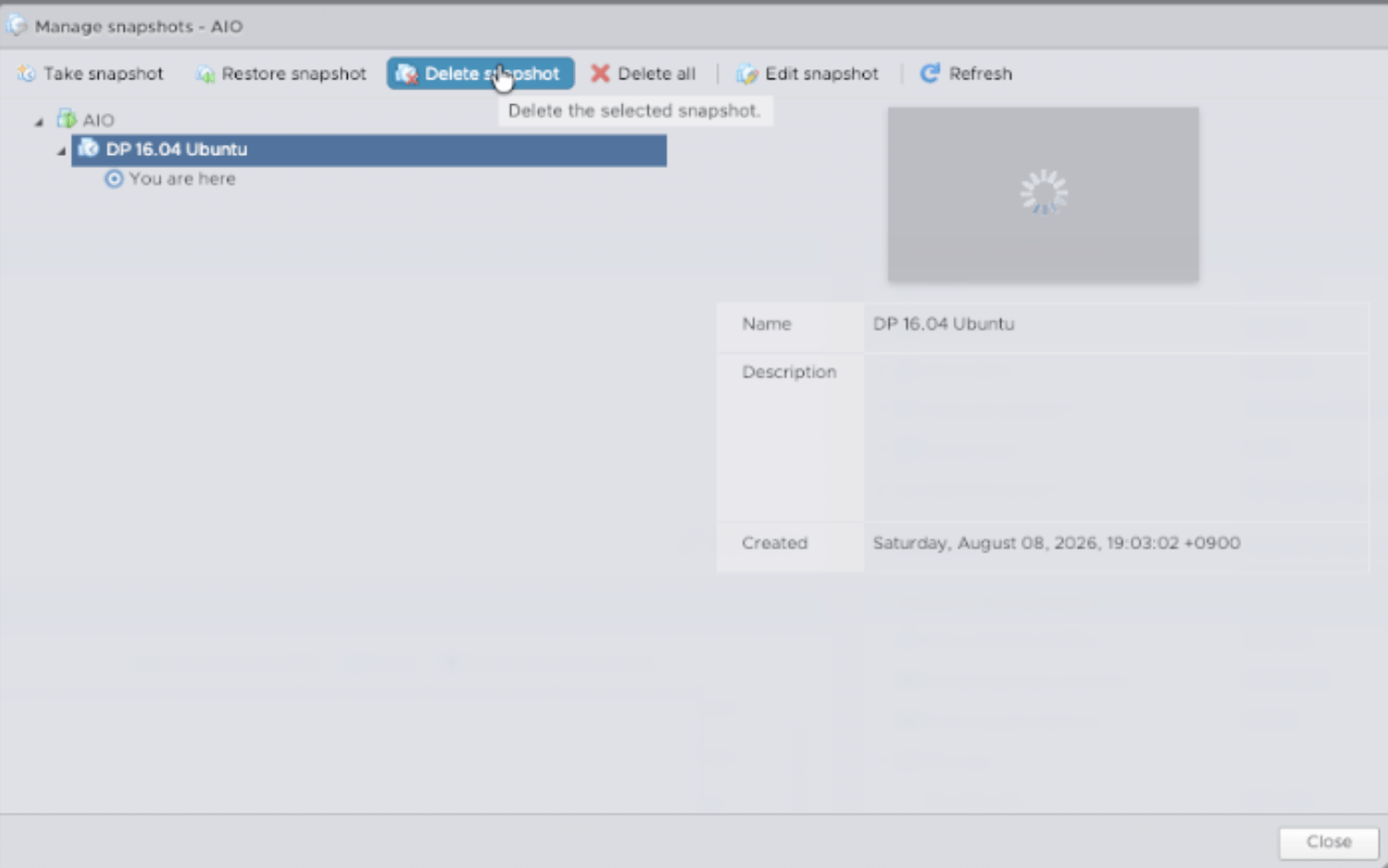
Example: open the VMware snapshot manager
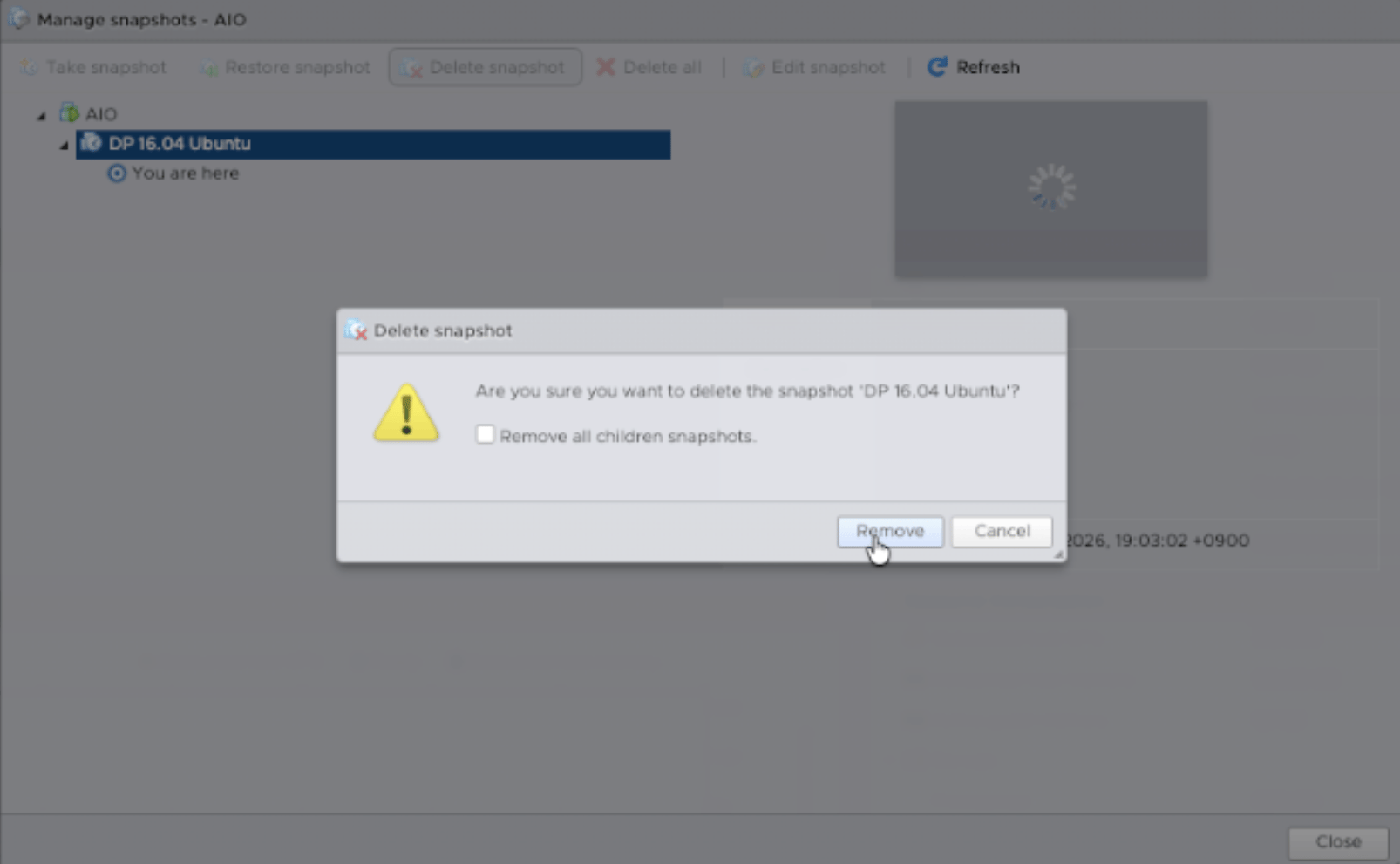
Example: select the temporary pre-upgrade snapshot for deletion

Example: confirm snapshot deletion
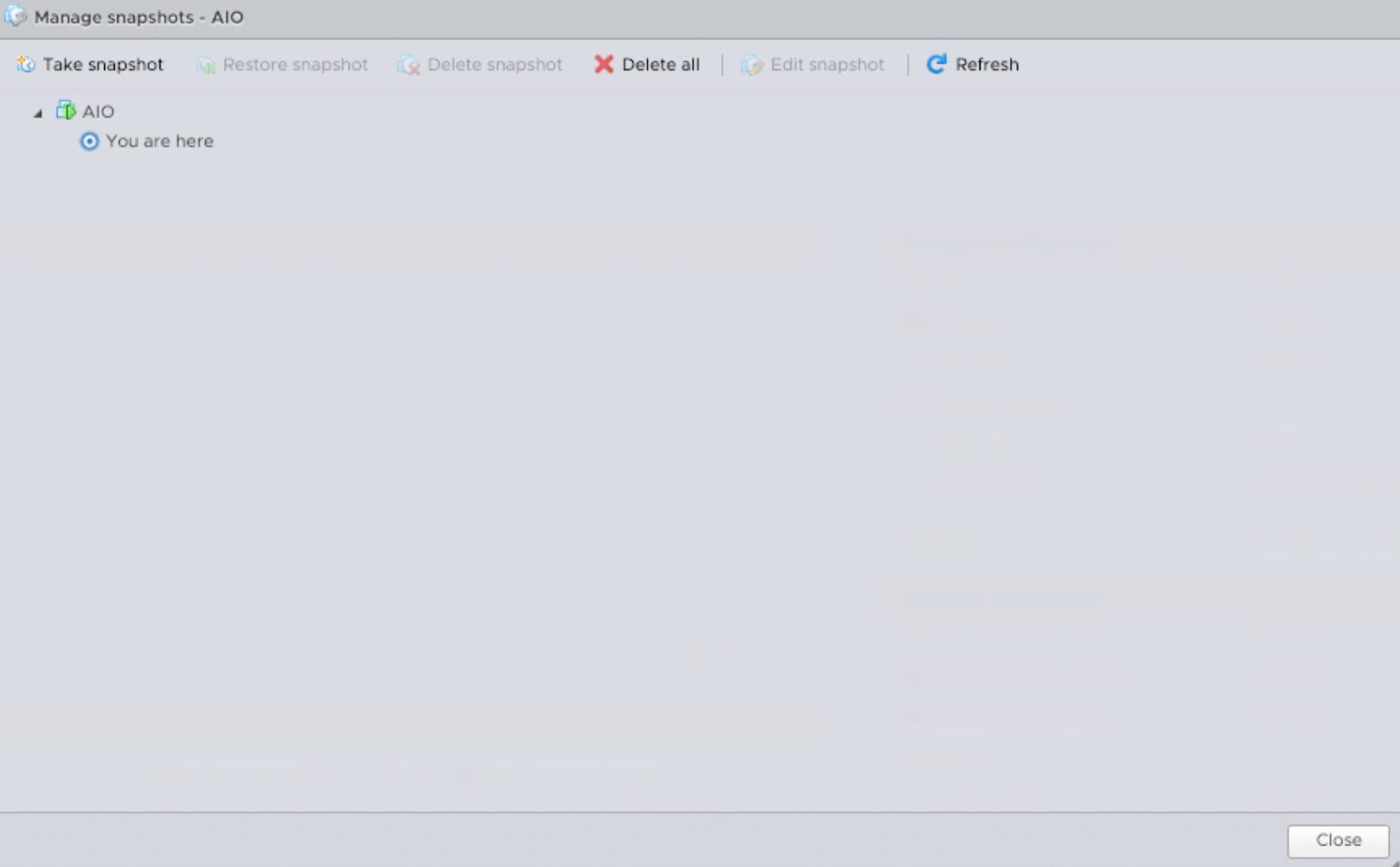
Example: snapshot cleanup complete
Final completion checklist
- Ubuntu 24.04 on every target node
- DP 6.6.0 on every required role
- DL cluster Ready
- DA cluster Ready
- required pods and host services Ready
- NTP synchronized
- DNS/network checks pass
- license/OTP valid where applicable
- Web UI and normal operations verified
- upgrade logs/evidence preserved
- snapshot cleanup approved or deferred per policy