4. DP Offline Ubuntu Upgrade
This is the production DP-side procedure. Do not start this page until the Mirror Server reports Upgrade Readiness = PASS and you have generated fresh Menu 7 — DP Client Upgrade Commands.Golden rule
Do not copy release-specific upgrade commands from this documentation. Use the Menu 7 output generated by the current Mirror Manager for the current Mirror Server IP and cluster configuration. This page tells you what to do, where to do it, and what result to wait for.Full-mode sequence
For a DP starting on Ubuntu 16.04:Step 1 — Create the required hypervisor snapshot
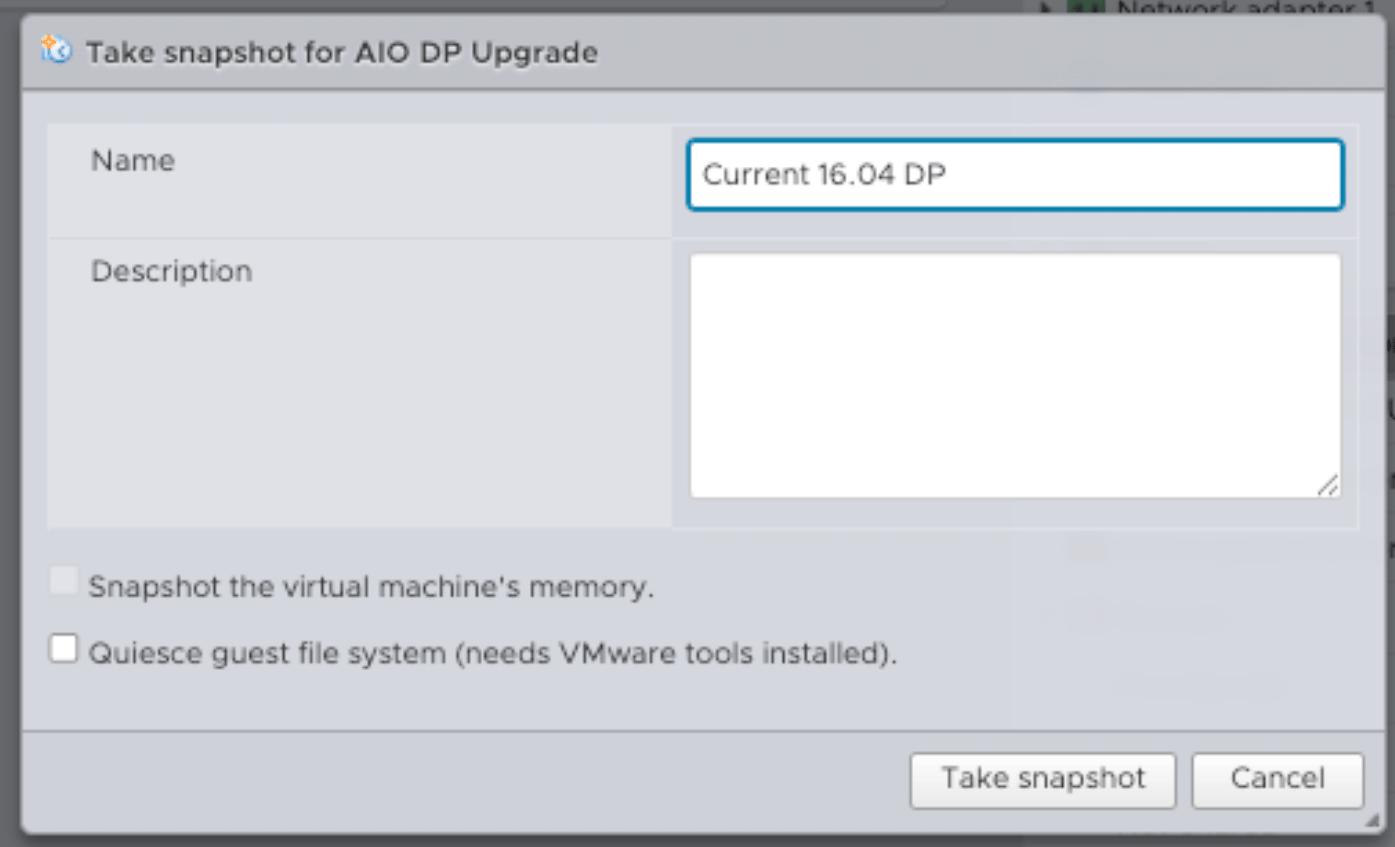
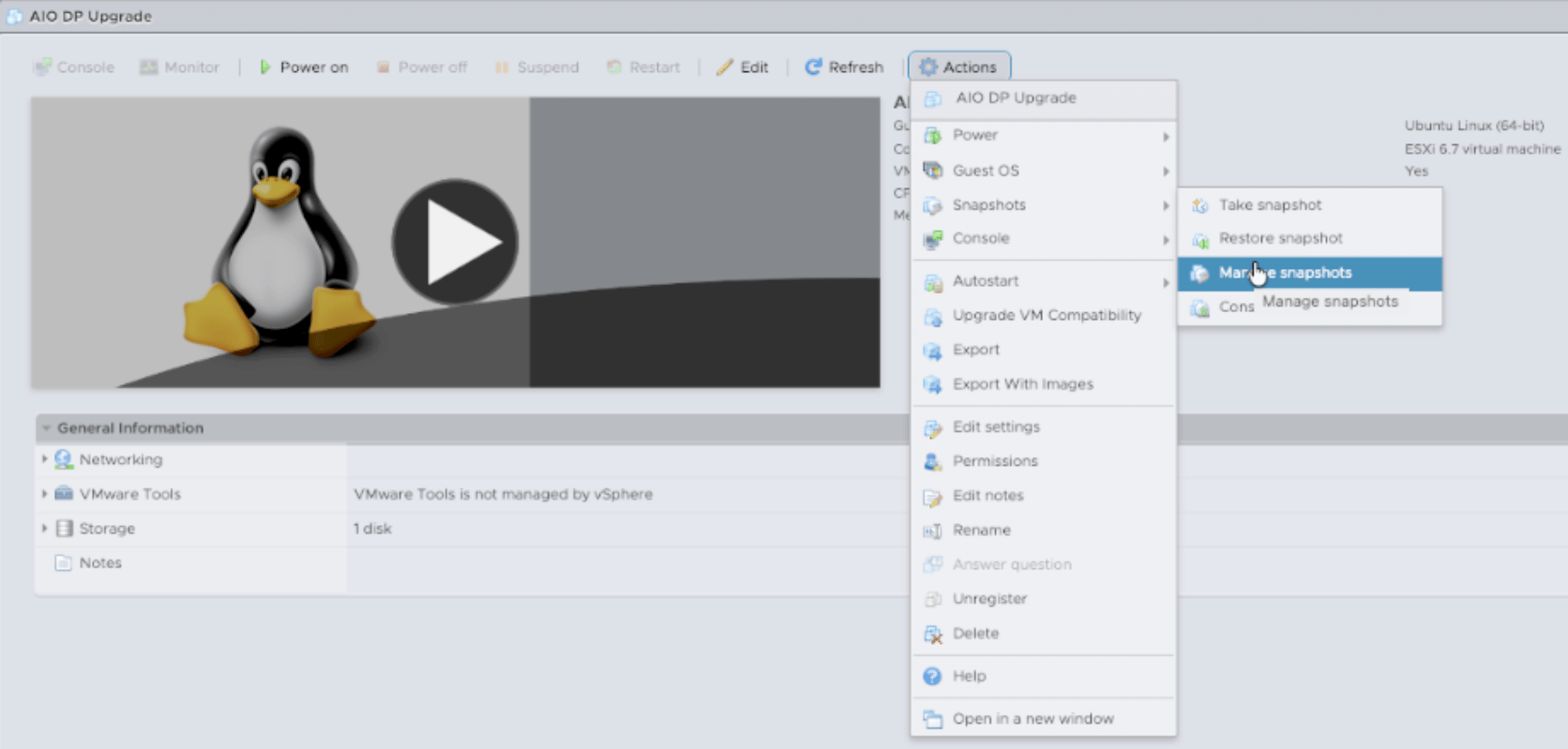
Before destructive work, create the approved full snapshot/backup for every target DP VM. VMware example: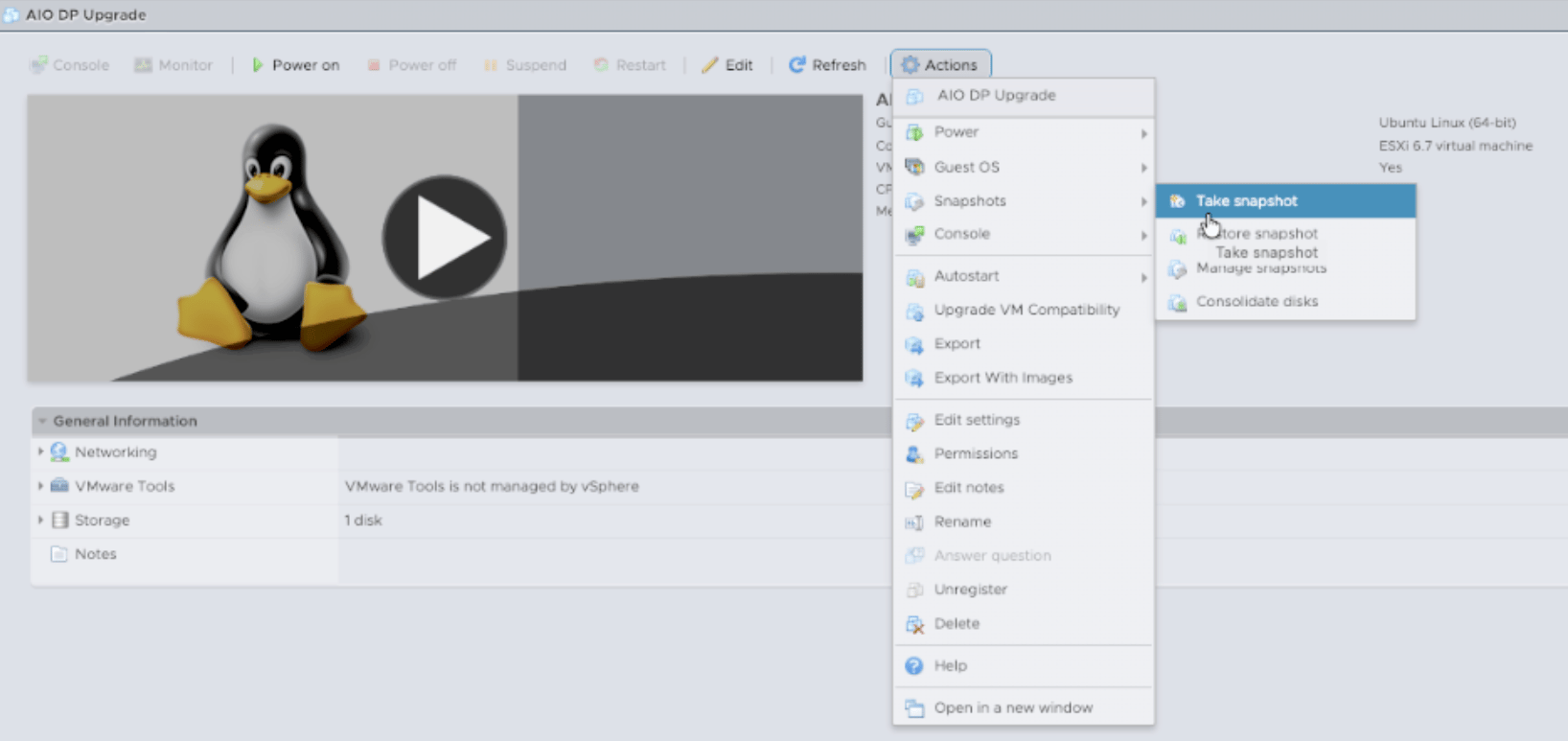
Step 2 — Pause DP services from the DP CLI
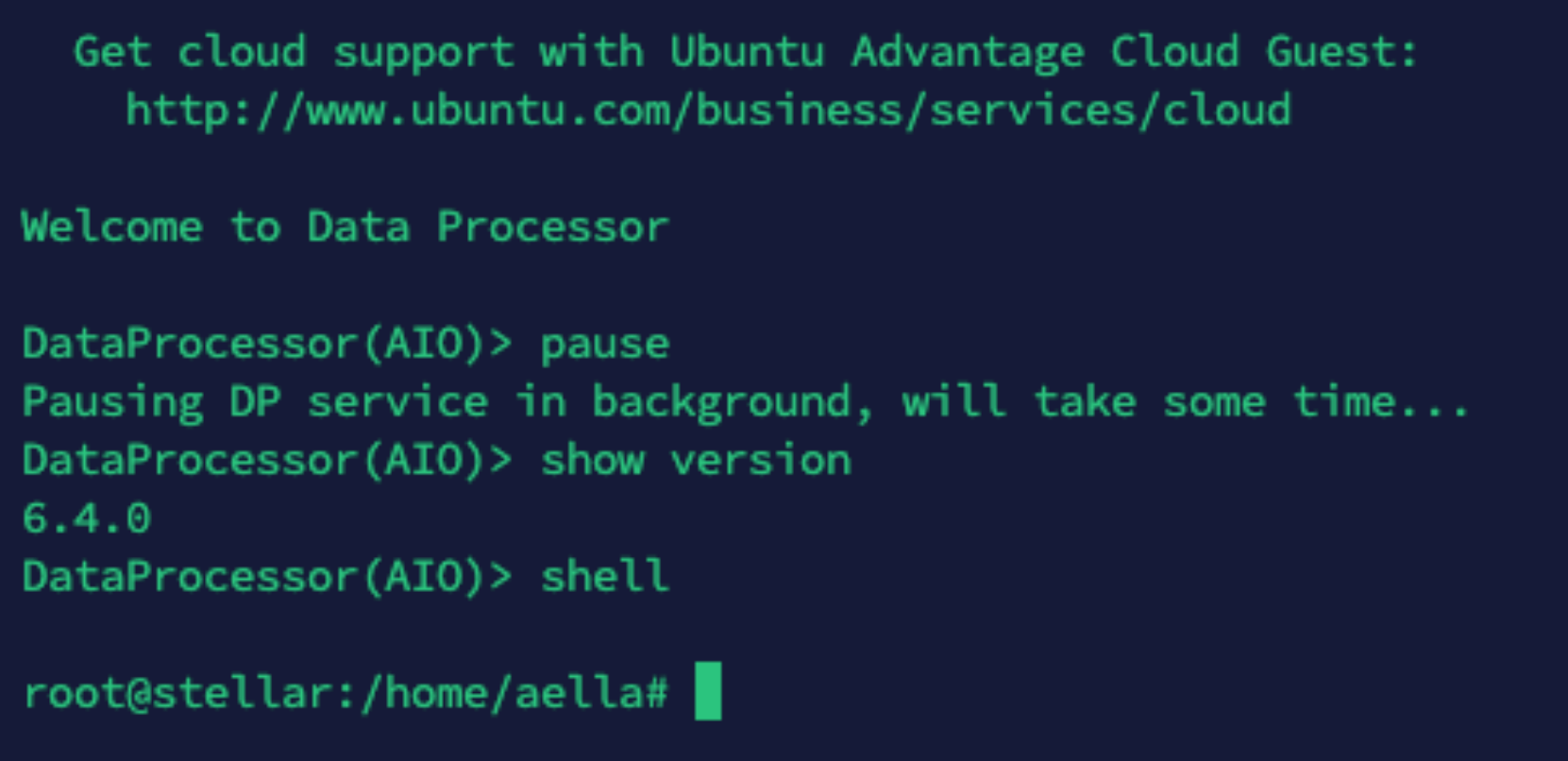
On the Ubuntu 16.04 DP, enteraella_cli and pause the DP services. Do not type pause as a Linux shell command.
Example:
Step 3 — Upgrade Ubuntu 16.04 → 18.04
Use the Step 2 / Xenial-to-Bionic command shown by Menu 7. Copy the complete command block exactly as generated. The client performs preflight and asks for an explicit destructive-upgrade confirmation. Read the execution plan and type the confirmation string exactly as shown by the current client. After the upgrade and reboot, verify the OS release: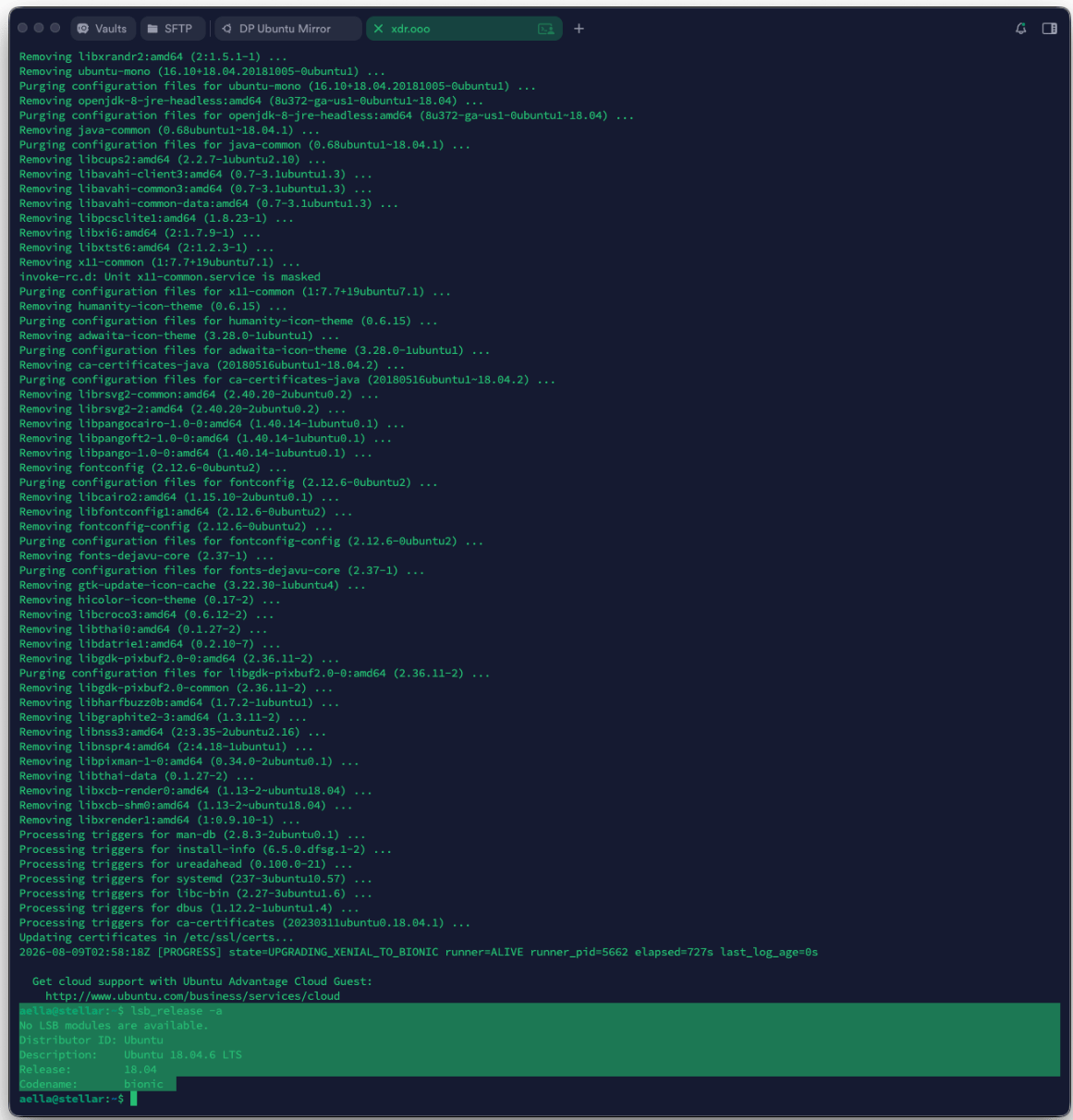
Step 4 — Upgrade Ubuntu 18.04 → 20.04
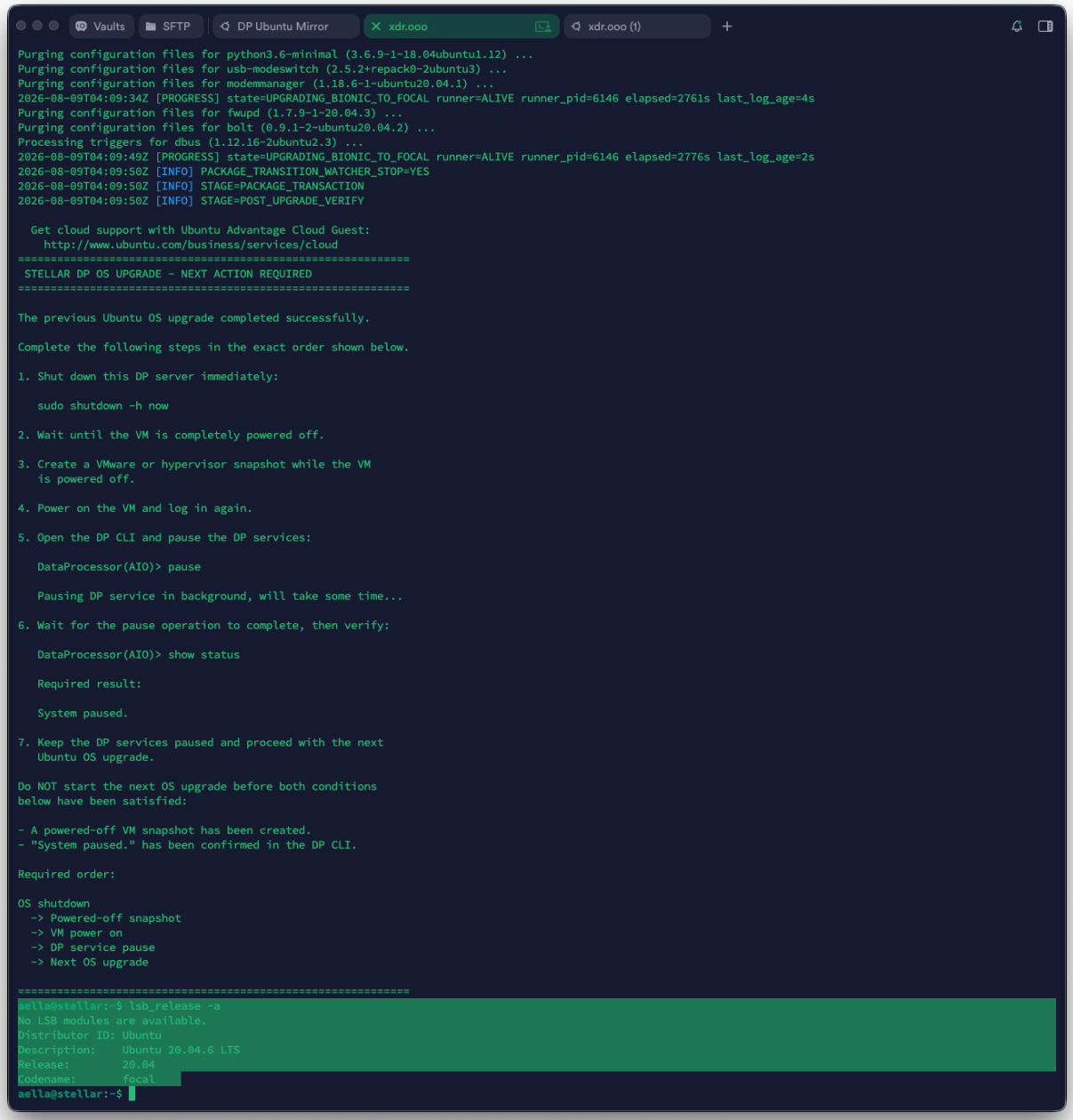
Return to the current Menu 7 output and run only the Bionic-to-Focal command for this hop. The upgrade client may print required next actions after the hop. Follow those instructions in the exact order shown.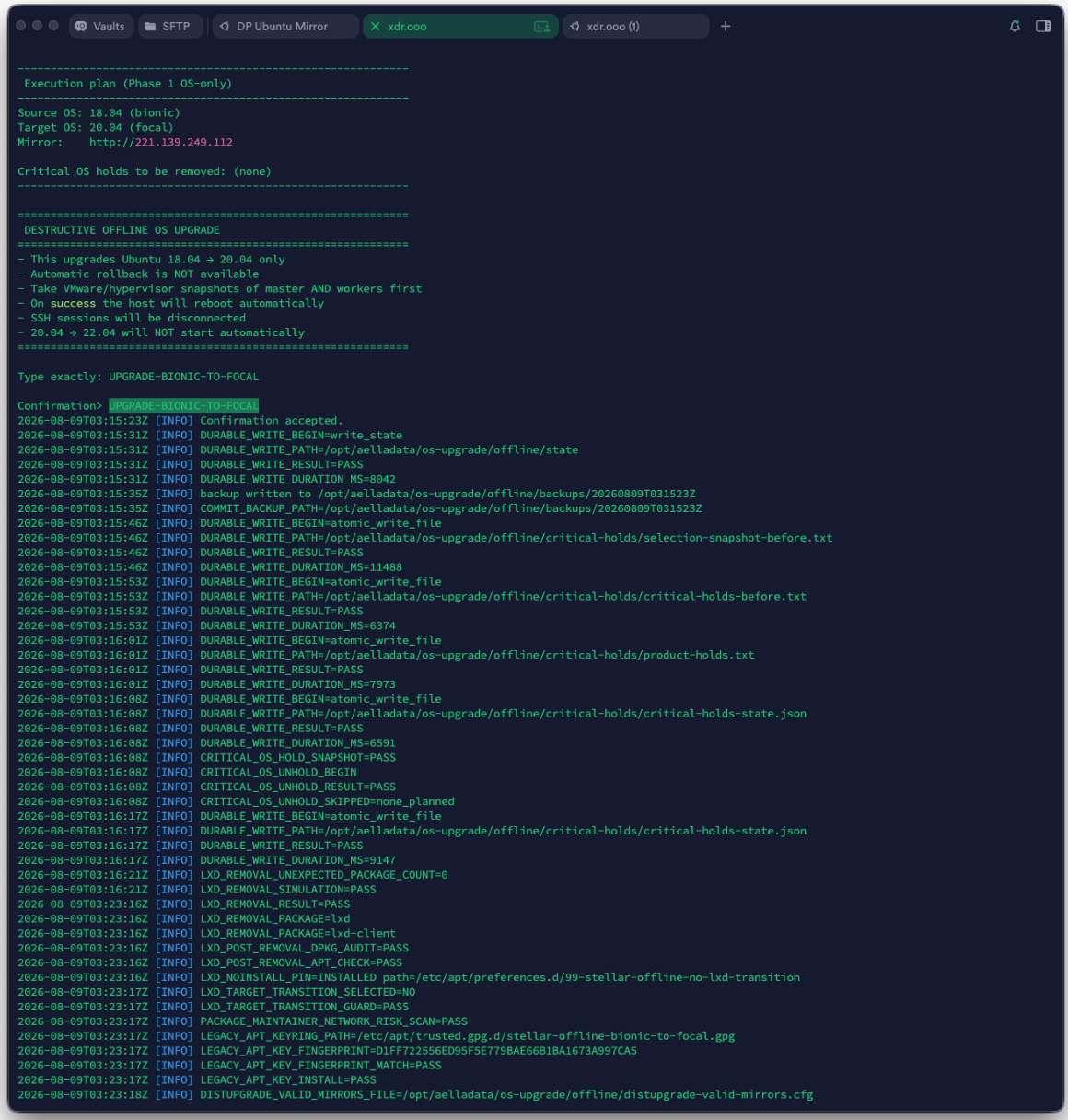
Step 5 — Upgrade Ubuntu 20.04 → 22.04
Run the Focal-to-Jammy command from the same fresh Menu 7 output.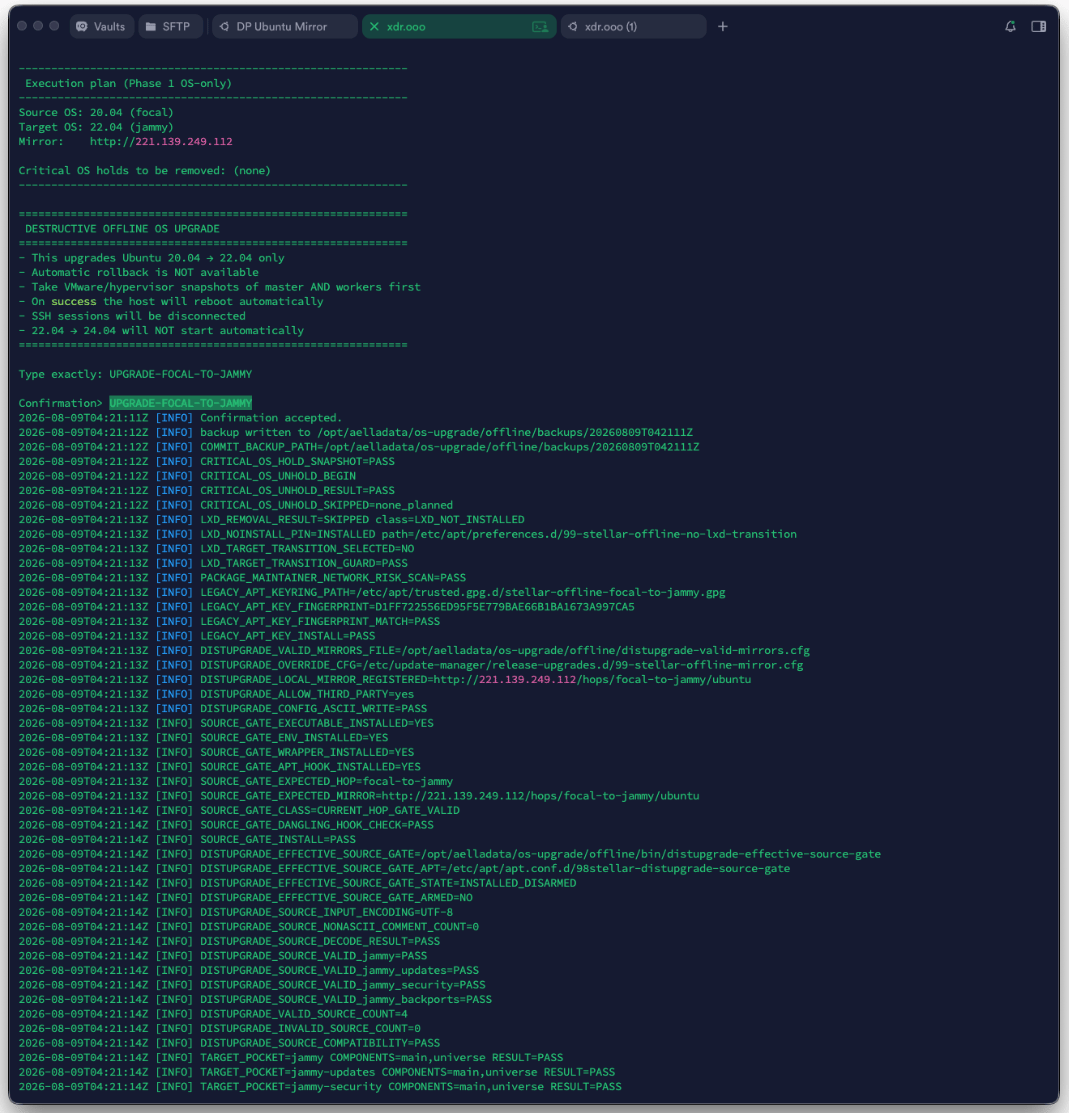
Important: Jammy is a transition state
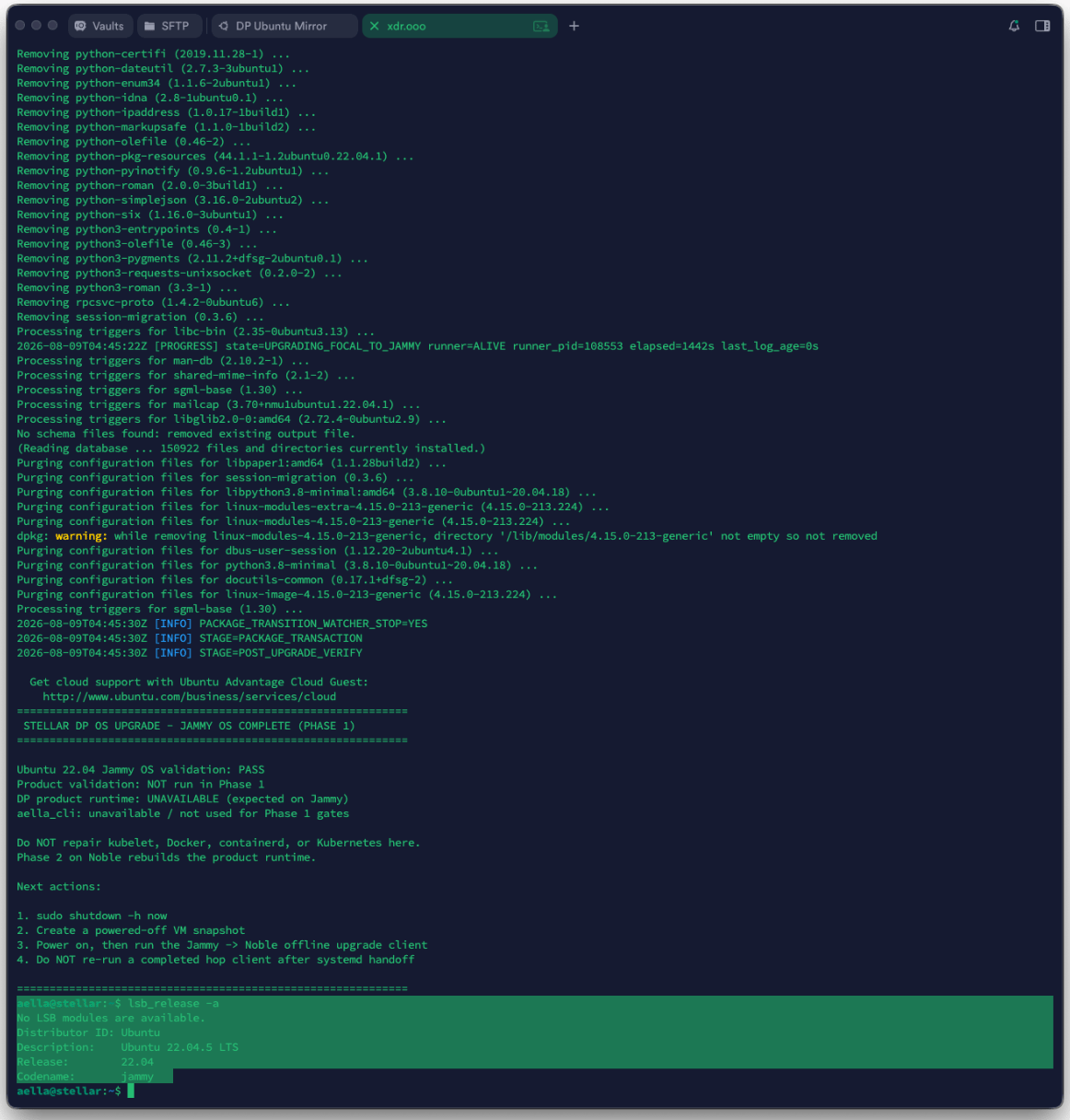
On affected DP builds, Ubuntu 22.04 can be intentionally transitional. The full DP product runtime,aella_cli, kubelet, Docker, or Kubernetes may not be healthy at this point.
Do not repair the DP runtime just to make Jammy look healthy. Continue the validated OS workflow to Ubuntu 24.04. Phase 2 rebuilds the product runtime.
The upgrade output can explicitly state that product validation was not run during Phase 1:
Step 6 — Upgrade Ubuntu 22.04 → 24.04
Run the Jammy-to-Noble command generated by Menu 7.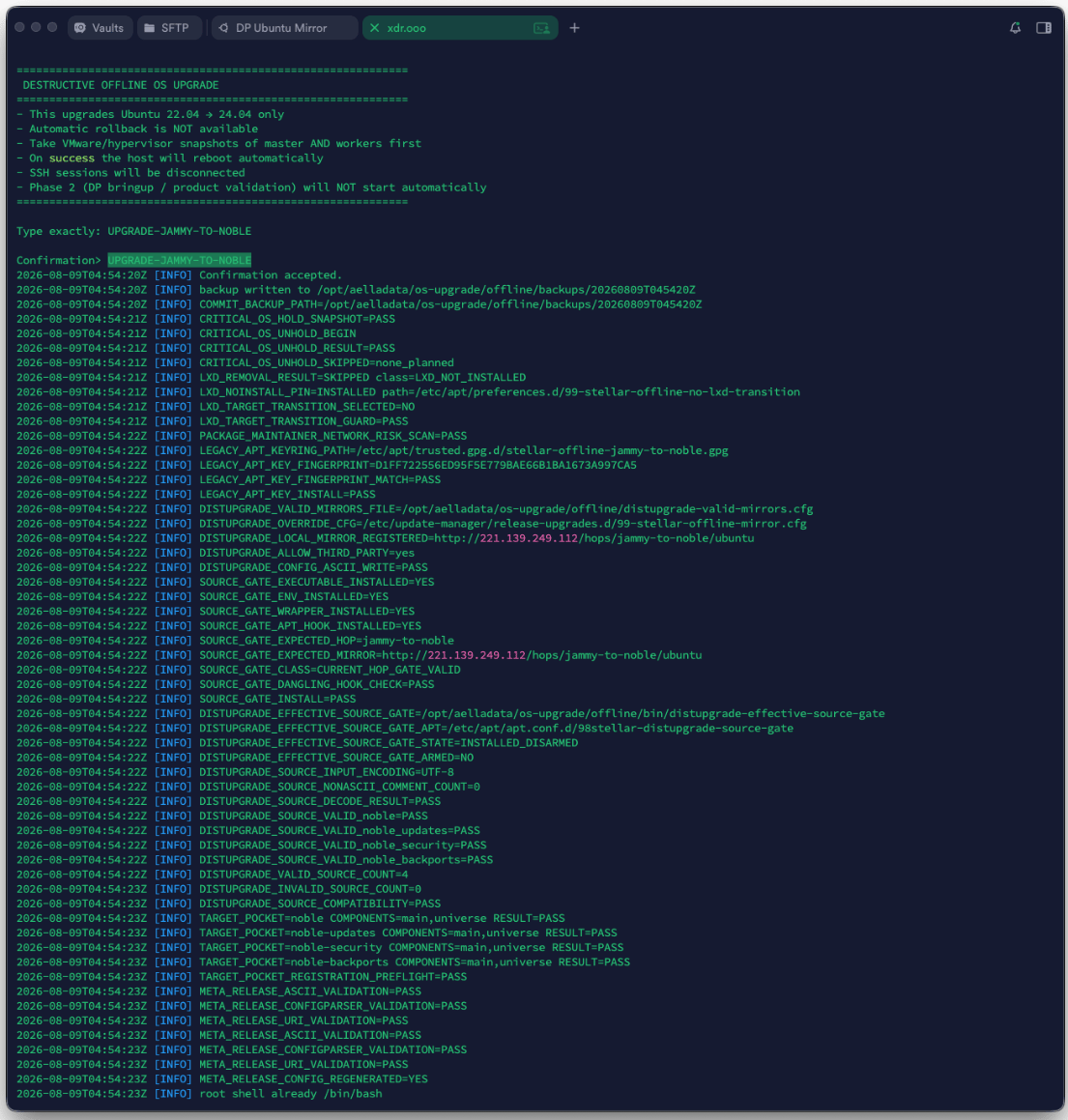
Ubuntu 24.04 success means Phase 1 is complete. It does not mean the DP software bringup is complete.
Step 7 — Stage DP 6.6.0 Phase 2 on every required node
Use the Phase 2 staging command block generated by the current Menu 7 output. For clusters, complete the common staging/preflight work on:Several uploaded screenshots were captured during the older 6.5.0 development workflow. They are intentionally not used for this Phase 2 section. The active target documented here is DP 6.6.0.
Step 8 — Bring up the DL cluster first
For a DL cluster with workers:- confirm common staging is complete on the DL master and every DL worker
- run the final generated bringup/orchestration command on the DL master only
- the master orchestrates its configured DL workers
- wait for the bringup result and cluster readiness checks to complete
- do not move to DA until the DL cluster is healthy
Step 9 — Bring up the DA cluster
Only after DL is healthy:- confirm common staging is complete on the DA master and every DA worker
- run the final generated command on the DA master only
- wait for all DA nodes and required services to become ready
Step 10 — Resume DP services
After bringup completes successfully, follow the generated procedure to enter the DP CLI and resume services if the system is still paused. Do not treat the DP as healthy immediately afterresume; give pods and host services time to start, then run show status again.
Step 11 — Validate before ending maintenance
At minimum verify:- all expected DL/DA nodes are ready
- required pods are running
- host services are ready
- DNS is configured
- NTP is synchronized
- license/OTP state is valid where applicable
- the Web UI and normal DP functions are reachable
If something fails
Do not delete/opt/aelladata/os-upgrade merely to clear an error. Preserve the state and logs, fix retryable causes such as DNS/NTP/network/package locks, and follow the current release recovery guidance.
For detailed recovery steps, see Troubleshooting and Retry & Recovery.