> ## Documentation Index
> Fetch the complete documentation index at: https://dpos.xdr.ooo/llms.txt
> Use this file to discover all available pages before exploring further.
# 5. Post-Upgrade Validation
> Confirm Ubuntu 24.04, DP 6.6.0, cluster readiness, services, NTP, DNS, and recovery-snapshot cleanup criteria.
# 5. Post-Upgrade Validation
Do not close the maintenance window just because the last upgrade command returned successfully. Validate the operating system **and** the DP application state.
## 1 — Verify Ubuntu on every DP node
Run:
```bash theme={null}
cat /etc/os-release
uname -r
```
Confirm every upgraded target node is running **Ubuntu 24.04** and the expected kernel.
## 2 — Verify DP version and status
Enter the DP CLI and run:
```text theme={null}
show version
show status
```
The expected application target for the current Mirror Manager workflow is:
```text theme={null}
DP 6.6.0
```
Do not treat a node as complete while `show status` still reports missing required services, unready nodes, or a non-ready role state.
## 3 — Verify DL/DA cluster readiness
For clustered deployments, confirm every expected node is present and Ready:
```bash theme={null}
kubectl get nodes -o wide
```
Validate:
* DL master and all configured DL workers
* DA master and all configured DA workers
* release-specific labels and cluster networking where required
* all expected pods and host services
The DL cluster should already have been validated before DA bringup began; this final check confirms the combined production state.
## 4 — Verify NTP and DNS
Check time synchronization:
```bash theme={null}
timedatectl
systemctl is-active ntpsec systemd-timesyncd 2>/dev/null
```
When `ntpsec` is used:
```bash theme={null}
ntpq -p
```
Investigate an unsynchronized clock before returning the DP to service.
Also confirm DNS resolution and the customer-required network paths.
## 5 — Verify application readiness
At minimum confirm:
* DP version is 6.6.0
* all expected nodes are Ready
* required pods are running
* required host services are ready
* DNS is configured
* NTP is synchronized
* licensing/OTP state is valid where applicable
* DL/DA role-specific services are healthy
* Web UI and normal DP operations are reachable
Allow several minutes after `resume` for the platform to settle before deciding that a service is missing.
## 6 — Preserve evidence
On the Mirror Server, preserve the current status and logs:
```bash theme={null}
ls -lt /var/log/ubuntu-mirror-automation/
cat /etc/ubuntu-mirror/dp-upgrade-mirror.status
```
On each DP that performed Phase 1, preserve:
```text theme={null}
/var/log/aella/auto_os_upgrade.log
/opt/aelladata/os-upgrade/
```
Do not delete failure or state evidence when escalating a problem.
## 7 — Recovery snapshot cleanup
Keep the pre-upgrade/recovery snapshot until:
1. Ubuntu 24.04 is confirmed on every required node
2. DP 6.6.0 is confirmed
3. DL and DA clusters are healthy
4. NTP/DNS and application checks pass
5. the maintenance/change procedure is approved for closure
Do **not** delete the recovery snapshot simply because the upgrade script returned success. Snapshot cleanup is the final action after technical validation and change-control approval.
When cleanup is approved, open the hypervisor snapshot manager for the DP VM.
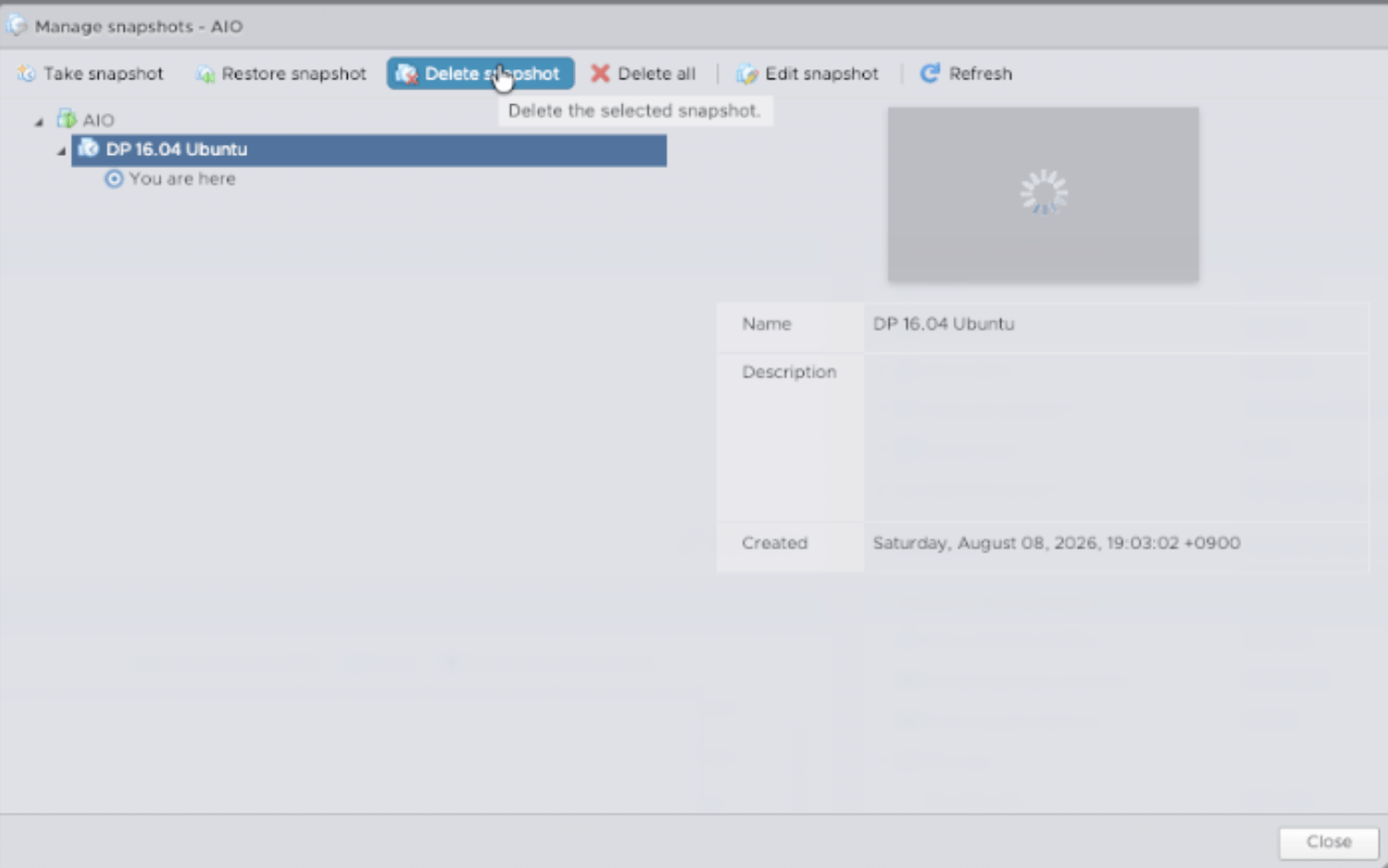 Select the temporary pre-upgrade snapshot and choose **Delete snapshot**.
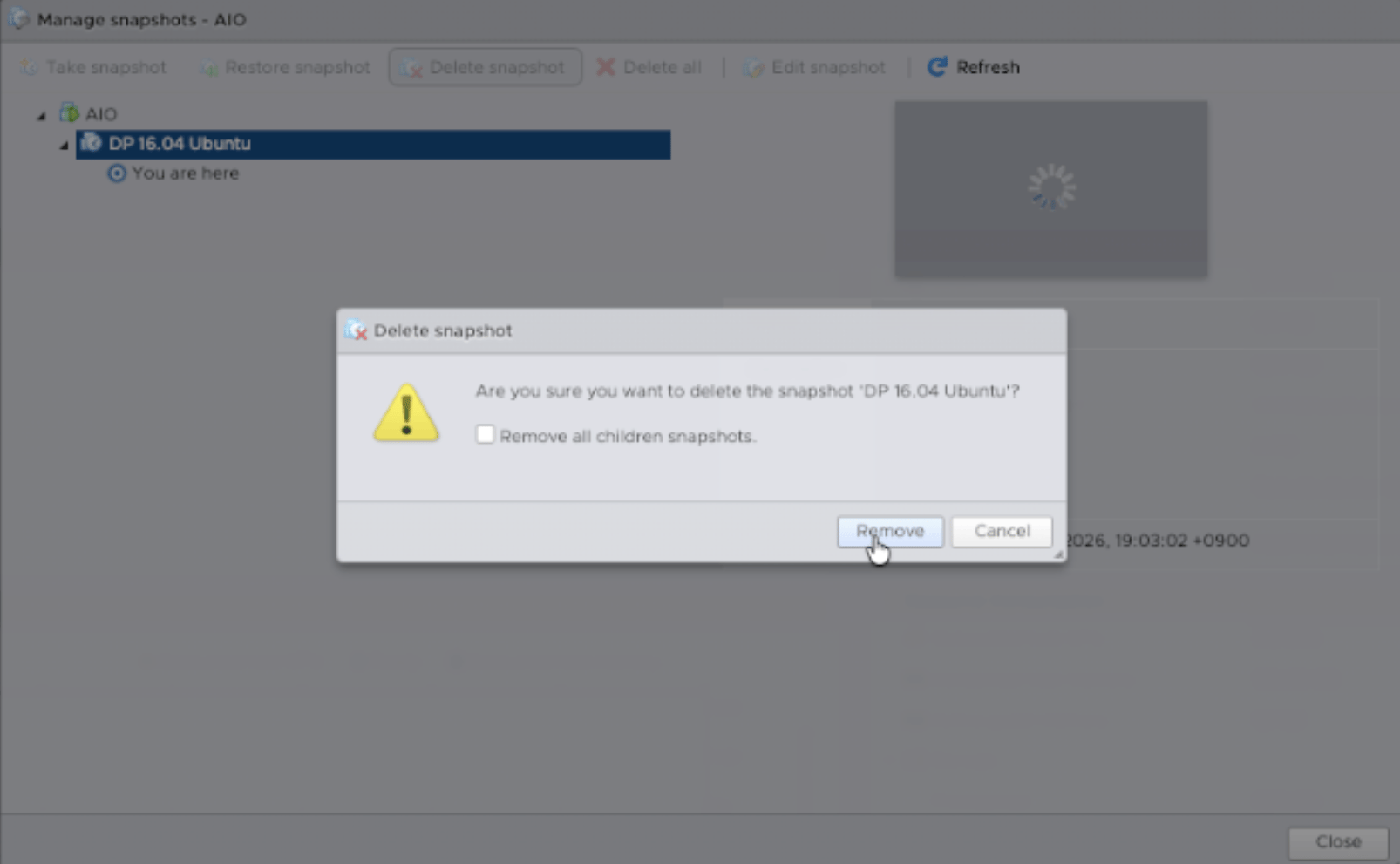 Confirm the deletion only after the approved validation gate has passed.
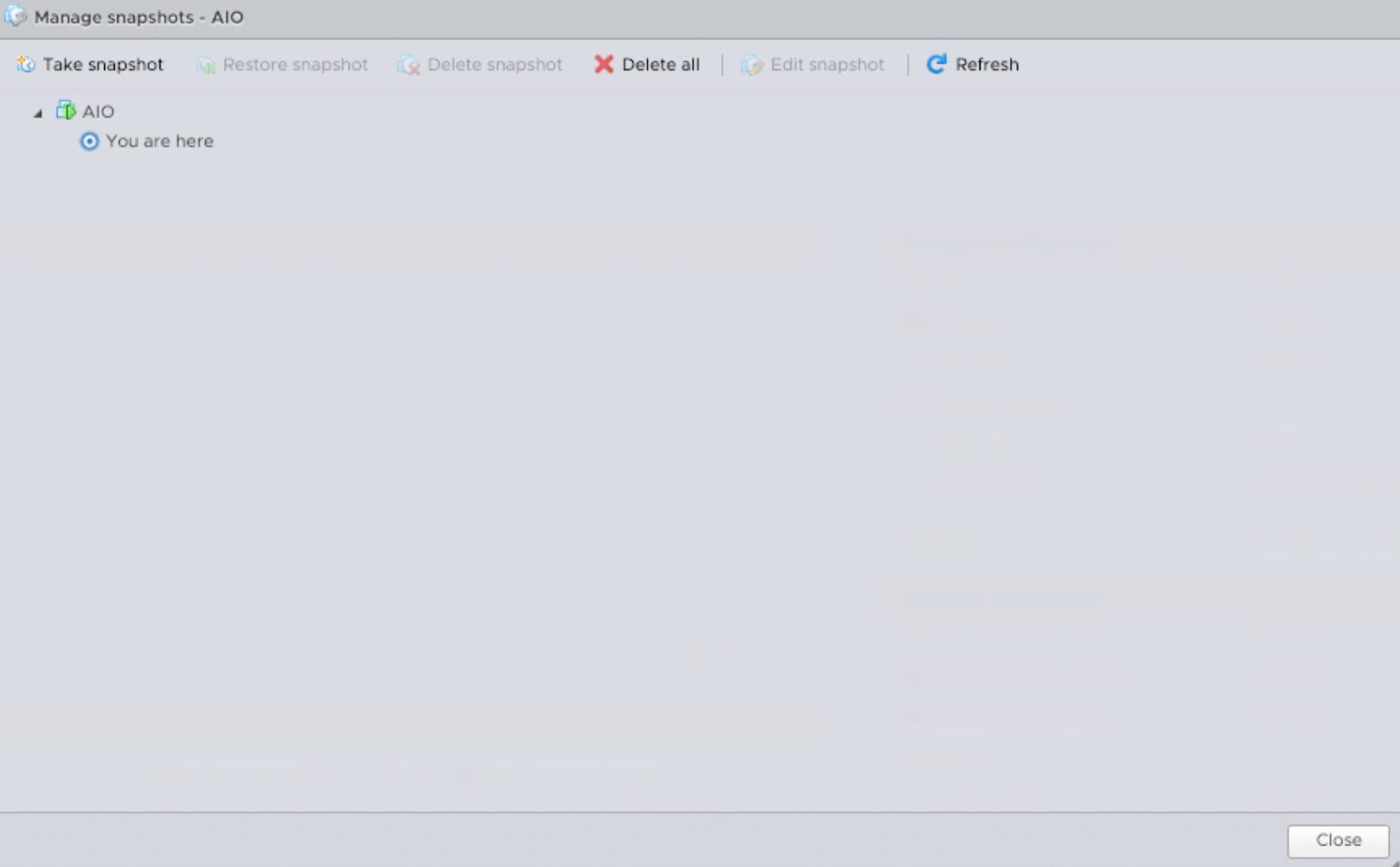
 Finally, confirm the temporary snapshot no longer appears in the snapshot manager.
 ## Final completion checklist
* [ ] Ubuntu 24.04 on every target node
* [ ] DP 6.6.0 on every required role
* [ ] DL cluster Ready
* [ ] DA cluster Ready
* [ ] required pods and host services Ready
* [ ] NTP synchronized
* [ ] DNS/network checks pass
* [ ] license/OTP valid where applicable
* [ ] Web UI and normal operations verified
* [ ] upgrade logs/evidence preserved
* [ ] snapshot cleanup approved or deferred per policy
When every required item is complete, the maintenance window can be closed.
For lower-level checks, see **[Detailed Post-Upgrade Validation](/operations/validation)**.
## Final completion checklist
* [ ] Ubuntu 24.04 on every target node
* [ ] DP 6.6.0 on every required role
* [ ] DL cluster Ready
* [ ] DA cluster Ready
* [ ] required pods and host services Ready
* [ ] NTP synchronized
* [ ] DNS/network checks pass
* [ ] license/OTP valid where applicable
* [ ] Web UI and normal operations verified
* [ ] upgrade logs/evidence preserved
* [ ] snapshot cleanup approved or deferred per policy
When every required item is complete, the maintenance window can be closed.
For lower-level checks, see **[Detailed Post-Upgrade Validation](/operations/validation)**.